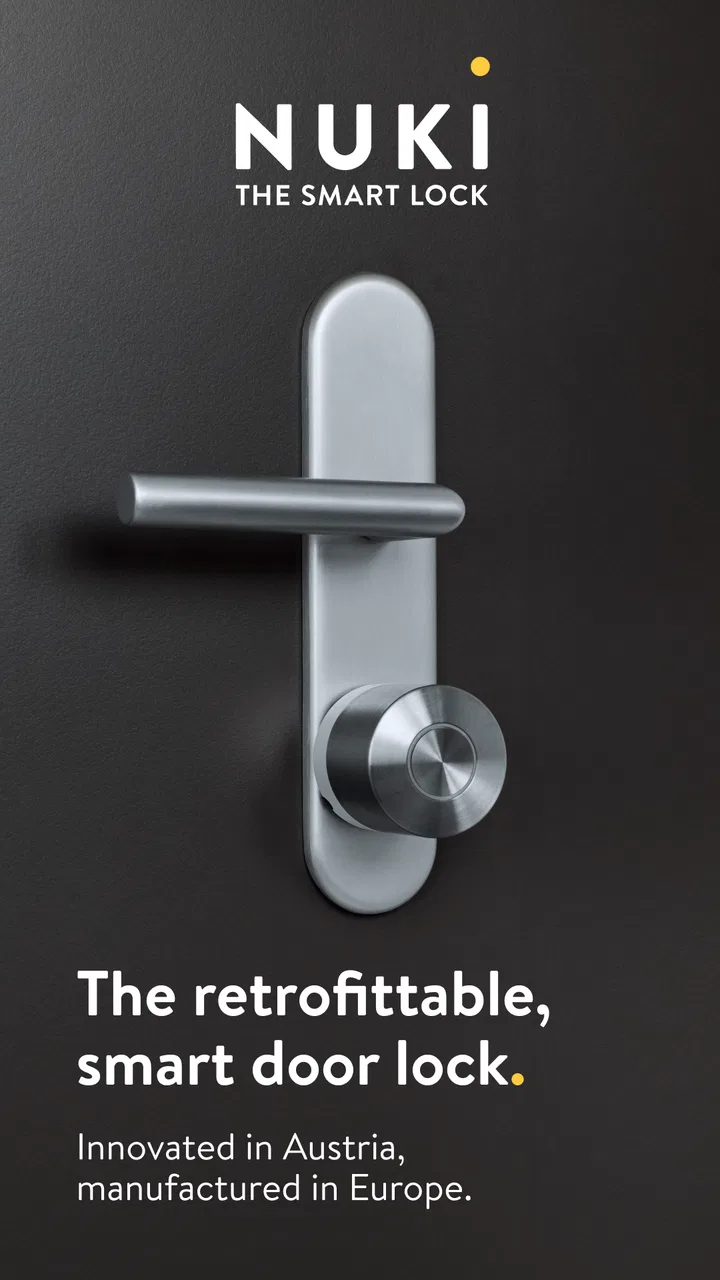
Nuki Smart Lock
- 4.2
- Rating
- 1.00M
- Installs
- Free
- Price

 Analysis by App-foxy
I like smart-home apps most when they solve a small, repeated annoyance without turning the phone into another household chore. Nuki Smart Lock aims at exactly that: it connects your smartphone with a Nuki smart-lock setup so the phone can take the place of a conventional key. After spending time with the app, my impression is that it is more practical than flashy. The real test is not the first screen or the store summary, but what happens when you are standing outside with bags in your hands, sharing access with someone else, or trying to work out why the lock did not react immediately.
This is a free House & Home app from Nuki Home Solutions GmbH, intended for everyone and available for devices running Android 8.0 or later. It has been around since May 23, 2016, and its audience is substantial: more than a million installations and an average rating of 4.3 from roughly nineteen thousand ratings. Those figures suggest a product that has moved beyond the early-adopter stage, although they do not remove the need to check whether your particular door and Nuki hardware are suitable.
Where the experience usually gets stuck
The first thing I would make clear to a friend is that the app is not a magic replacement for a lock by itself. It is the control point for Nuki hardware. If you install it expecting the phone alone to turn an ordinary cylinder, disappointment arrives before setup even begins. The useful question is whether you already have, or plan to use, a compatible Nuki smart-lock arrangement and whether your household is comfortable depending on a phone for entry.
You May Also Like

 Blood Strike: 2.5 Anniversary
Blood Strike’s Loadouts Turn Every Drop Into a Tactical Gamble
A close look at Blood Strike’s custom loadouts: how fast access to signature weapons reshapes its battle royale rhythm, rewards preparation, and narrows the gap between fights.

 Pandora - Music & Podcasts
Pandora’s Music Is Easy to Start, but Harder to Recover
Pandora’s strength is its low-effort path from a seed to a station. Its weak spot is how much confidence it asks you to place in connection, setup, and quiet recovery.

 8 Ball Pool
 Is Built on Rivalries, Rematches, and Routine
A close look at the rivalries, rematches, shared routines, and unanswered safety questions that turn a quick pool match into a persistent mobile community.

 Samsung Music
’s Quiet Strength Is Playing What You Already Own
Its reach comes less from spectacle than from dependable access to a personal library. That simplicity is both the app’s strongest retention engine and its ceiling.

 AccuWeather: Weather Radar
AccuWeather Review: A Quick, Clear Forecast for Everyday Decisions
For everyday plans, the best forecast is the one you can understand quickly. AccuWeather makes rain timing, radar, and local conditions easy to act on, with a few trade-offs.

 Hill Climb Racing
Why Hill Climb Racing Still Turns Crashes Into One More Run
A tiny car, a bumpy hill and one more upgrade: Hill Climb Racing keeps resurfacing because its simple chaos makes every near-miss feel personal.
More From Our News Desk
View All News


That distinction explains much of the early friction. A normal key gives immediate physical feedback: it is in the cylinder, it turns, and the door opens. With a smart-lock app, there are more links in the chain. The phone must be ready, the app must communicate with the lock, the lock must be able to move the mechanism, and the door itself must be in a condition that allows the action to complete. When one link is weak, the app can look responsible even though the underlying issue is mechanical or environmental.
I also found that people often approach the first use with the wrong mental model. They expect a tap to behave exactly like pressing a light switch. A lock operation is different because it involves a physical mechanism and a security decision. A short delay, a confirmation step, or the need to repeat an action is more understandable once you treat the app as a remote control for a real door rather than as a purely digital service.
The strongest everyday use case is convenience at the entrance. Imagine returning with groceries while your keys are buried in a pocket. If the Nuki setup is responding normally, using the phone can be easier than putting everything down and searching for a key. It is also useful for households where several people need access, because the app gives the arrangement a digital workflow instead of requiring everyone to carry copies of the same physical key.
That convenience has a trade-off. I would not recommend making the phone your only plan if you regularly run out of battery, keep the device in a poor connectivity state, or dislike troubleshooting household technology. A smart-lock app can reduce key management, but it introduces dependence on a charged, functioning phone and a correctly configured lock. For some people, a traditional key remains the calmer option.
What to check before blaming the app
When an action does not work, I start with the simple checks that are easiest to overlook. Is the phone unlocked and responsive? Is the correct Nuki setup selected inside the app? Is the device close enough for the intended connection? Has the door been pulled into the position where the lock can operate normally? These questions sound basic, but they separate a software problem from a door that is pushing against the bolt.
The door check is especially important. A smart lock can be working perfectly while the door frame, latch, or cylinder is creating resistance. If the mechanism feels unusually tight with a physical key, I would stop repeatedly commanding it from the app. Repeated attempts do not fix a misaligned door and may make the situation more stressful. Test the door gently and investigate the physical fit before treating the phone as the culprit.
Another useful habit is to test from the same place where you expect to use the app. A command that works beside the door does not automatically prove that it will work from another room or outside the building. I prefer to establish a reliable baseline first: stand near the lock, confirm that the app can see the intended setup, and perform one normal operation. Only after that would I judge whether distance or the surrounding environment is affecting the result.
During setup, I would keep the process deliberately boring. Use a phone with enough battery to finish the work, avoid switching between several accounts or devices halfway through, and read each confirmation instead of tapping through it automatically. If the app asks you to identify a lock or confirm an action, pause and make sure it is the device you actually want to control. A rushed first configuration can create confusion later, particularly in a home with more than one entrance.
It is also worth deciding who really needs access before you begin. A household member who uses the door every day has a different need from a visitor who only comes occasionally. Planning that distinction helps prevent a common mistake: giving broad access simply because it is quicker, then having to untangle the arrangement later. The app is most useful when its digital access model matches the way the household actually uses the door.
Because the app is free, the main cost decision is not the download. It is whether the Nuki hardware and installation approach make sense for your door. I would inspect the existing lock and follow the manufacturer’s compatibility guidance before buying anything. The app cannot compensate for a cylinder or door design that is unsuitable for the intended setup, and this is one area where guessing can lead to wasted time.
A calmer setup routine
My preferred setup sequence is to prepare the physical side first, then use the app methodically. Make sure the door closes and locks smoothly in its ordinary state. Keep the phone close to the lock. Open the app and identify the relevant Nuki device rather than assuming the first visible item is correct. Complete one action at a time, then verify the result at the door before moving on.
This approach offers a practical diagnostic advantage. If the lock works while you are nearby but not from the place where you normally approach the entrance, the core installation is probably not the first thing to revisit. If it fails even beside the door, I would look at pairing, device selection, physical resistance, and the phone’s current state before experimenting with more complicated changes.
I would also perform a few supervised trials before relying on the phone in a hurry. Try opening and securing the door at different moments of the day, with the phone in the place where you normally carry it. The point is not to collect statistics; it is to learn the rhythm of your own setup. You want to know whether the lock responds promptly, whether the door needs a particular position, and what confirmation the app gives when an action has completed.
That last point matters because users can create uncertainty by walking away too soon. If you send a command and immediately pull the door, you may not know whether the lock finished, whether the latch moved, or whether the door was simply not positioned correctly. I wait for the app’s visible result and then check the handle or door gently. This small pause makes the system feel much more predictable.
Recovering a workflow when something goes wrong
When the app appears stuck, I avoid tapping the same control repeatedly. First I look at what actually happened at the door. Did the lock move but the door remain closed? Did nothing audible or physical happen? Did the app return to its previous state? Each answer points to a different next step. The aim is to identify the failed stage rather than flood the system with duplicate commands.
If the phone seems unresponsive, I return to the basics: check that the app is open on the intended device, move closer to the lock, and give the operation time to finish. I then retry once, not continuously. If the result is still unclear, I check the door manually and use the ordinary physical method available to me rather than standing outside and repeatedly issuing commands. A backup entry plan is part of responsible smart-lock use, especially during the first days of ownership.
For a household, I would create a simple recovery agreement. Everyone should know what to do if the app does not respond: move near the door, check whether the door is pressing against the lock, avoid repeated commands, and use the agreed backup method. This is more useful than telling everyone to “try again,” because it turns a vague failure into a short sequence of safe checks.
A less obvious source of confusion is choosing the wrong door in a multi-lock home. If more than one Nuki device is associated with the household, the name and location shown in the app deserve attention before every important action. A clear naming habit is not exciting, but it prevents the kind of mistake that can look like a connection failure when the command was simply directed at another entrance.
I also recommend separating setup troubleshooting from access sharing. If the lock itself has not been proven reliable from your own phone, adding other users makes diagnosis harder. Establish one dependable owner workflow first. Then introduce another person and test that person’s experience near the door. This staged approach reveals whether a problem belongs to the lock, the original phone, or the additional user’s device and account arrangement.
For visitors, cleaners, or family members who do not want to manage a smart-home app, a physical key or another simple arrangement may be easier. The Nuki app is valuable when the people using it are willing to follow the digital process. It is less suitable when someone needs instant, explanation-free access and will not have the app ready when they arrive.
When the app is not the cause
Smart-lock complaints often begin with the software because that is the part the user can see. Yet the door is a mechanical system. A shifted frame, a stiff latch, pressure from the door seal, or a key cylinder that already feels difficult can all make a motorized action seem unreliable. If the door needs to be pushed or pulled unusually hard during ordinary locking, I would treat that as a physical warning rather than an app bug.
The same principle applies to the phone. A nearly empty battery, a device that is busy or frozen, or a phone being carried in a place where communication is unreliable can make the experience inconsistent. I do not assume that a failed command means the Nuki installation needs to be reset. Resetting too quickly can erase a working configuration and create more work without addressing the real cause.
There is also a human factor: people sometimes test the app while the door is open and then draw conclusions about normal locking. A smart lock may behave differently depending on whether the door is fully closed, aligned, and ready for the mechanism. I would test the exact situation I care about, not just a convenient demonstration with the door standing open.
Compared with a standard key, the app offers easier digital control and less dependence on carrying a metal key, but it adds technology between the user and the lock. Compared with a generic home-control app, its advantage is focus: this experience is built around the entrance rather than making the door one tile among many unrelated devices. That focus is helpful for a dedicated Nuki household, while a person who wants one app for a broad collection of smart-home brands may prefer a wider platform.
The developer’s long presence in this category and the app’s broad adoption make it feel like a serious product rather than an experiment. Still, popularity does not change the practical limits. The app cannot make an incompatible door compatible, remove every need for a backup, or guarantee that a phone will always be available. I see those as conditions of the product category, not reasons to dismiss this particular app.
Who should use it, and who should skip it
I think Nuki Smart Lock is a good fit for people who already own compatible Nuki hardware, want phone-based entry, and are prepared to spend a little time learning their door’s behavior. It is especially appealing in homes where keys are frequently misplaced, several people need coordinated access, or carrying a phone is more convenient than carrying another object.
I would be more cautious if your door is already difficult to lock by hand, if you cannot maintain a charged phone, or if you need access to work identically for people who are uncomfortable with apps. Renters should also think about installation and permission before committing to hardware. In those situations, a conventional key or a simpler access method may be better, even if it is less elegant.
For someone deciding whether to download it, the sensible first step is not to judge the interface in isolation. Confirm the Nuki hardware path, inspect the door’s mechanical condition, and decide what your backup will be. Then use the app close to the lock until the basic workflow feels dependable. That preparation answers the questions that matter most: whether your phone can control the intended entrance, whether the door responds smoothly, and whether your household can recover gracefully when technology does not cooperate.
My practical verdict
After using it as a home-access tool, I see Nuki Smart Lock as a focused, useful app whose value comes from making repeated entry simpler. It does not try to replace every part of home management. Instead, it gives a Nuki smart-lock setup a phone-based control layer that can reduce key handling and make shared access easier to organize.
The experience is best when the installation is compatible, the door is mechanically healthy, and users understand the difference between a command being sent and the physical door actually completing the movement. My main advice is to test patiently, keep the phone close during setup, verify the result at the door, and maintain a backup plan. Those habits prevent most avoidable frustration.
For a compatible Nuki household, the free app is worth trying, and its Everyone rating makes it approachable for ordinary family use. I would recommend it to a friend who wants smart entry and is comfortable with a small amount of setup discipline. I would not recommend it as an unquestioned replacement for a key to someone who wants zero troubleshooting. In my view, that honest boundary is what makes the app easy to judge: it is a practical companion to Nuki hardware, not a substitute for sound installation, a working door, or common sense.
FAQs for Nuki Smart Lock
01How secure is the Nuki Smart Lock?
The Nuki Smart Lock uses end-to-end encryption to ensure the security of your home. It complies with the highest industry standards, similar to online banking. The device features security measures like activity logs and customizable access permissions. This means you can monitor entries and exits, and control who has access to your home.
02Can I install the Nuki Smart Lock myself?
Yes, the Nuki Smart Lock is designed for easy installation. It fits over your existing door lock without needing any screws or drilling, making it suitable for renters and homeowners alike. The installation process typically takes about 3 minutes, and the app provides a step-by-step guide to assist you.
03Does the Nuki Smart Lock work with voice assistants?
Absolutely, the Nuki Smart Lock is compatible with popular voice assistants like Amazon Alexa, Google Assistant, and Apple HomeKit. This allows you to control your lock with simple voice commands, enhancing convenience and integrating seamlessly with your smart home ecosystem.
04What happens if my phone runs out of battery?
If your phone runs out of battery, you can still use traditional keys to unlock your door. Additionally, you can grant access to trusted individuals through the Nuki app on another device, or use the optional Nuki Fob or Keypad for keyless entry, ensuring you’re never locked out.
05Is the Nuki Smart Lock compatible with all doors?
The Nuki Smart Lock is compatible with most European cylinder locks. However, it’s important to check the specific requirements for your door and lock type. The Nuki website offers a compatibility check tool, which is recommended to ensure the lock will fit your specific setup before purchasing.
Pros
- Easy installation process.
- Strong security features.
- User-friendly app interface.
- Compatible with various smart home systems.
- Remote access capabilities.
Cons
- Requires a stable internet connection.
- Higher price point than some competitors.
- Limited offline functionality.
- Battery replacement needed periodically.
- May require additional hardware for full features.

Nuki Smart Lock
Gallery